Key takeaways:
- Modern HCM systems streamline operations by integrating various functions such as recruitment, onboarding, payroll, and performance evaluation into a single platform.
- When evaluating HCM software options, organizations should prioritize solutions that offer robust payroll processing, comprehensive analytics, benefits management, and stringent data security protocols.
- Implementing comprehensive HR technology can enhance operational efficiency, provide valuable workforce insights, and improve workforce engagement.
Running human resources operations in Canada is rarely simple. Payroll has to be right every time. Employment standards aren’t uniform across the country, and HR teams, seen as cost centres, are often expected to support growth without a corresponding increase in resource allocation. The additional admin load can build very quickly once you add in remote hires, new provinces, or a mix of salaried and hourly roles.
That’s where human capital management (HCM) software pays for itself many times over. A great platform pulls employee records, payroll workflows, and compliance processes into a single system.
You’re not chasing the same information across separate tools. It helps reduce manual work, cut down on payroll corrections, and give management teams a clearer view of what’s happening across the entire workforce. The real payoff shows up silently with fewer errors, fewer handoffs, and less time spent fixing avoidable issues.
To help determine the best HCM packages in Canada, I reviewed the top platforms, comparing features, pricing, scalability, compliance, and customer reviews. After scoring each one using a weighted framework, Rippling came out on top as the best HCM software in Canada.
Here’s how the top contenders ranked, and which ones deliver the best results for Canadian teams in 2026.
A note on transparency: Our product is included in this list. To stay objective, we used the same scoring criteria for every platform, based on public information and hands-on testing. You can view our full results here.
|
| Rippling HCM | Growing and mid-enterprise companies | You want HR, payroll, IT, and compliance in one connected system | $11 CAD (US$8 PEPM for core platform; payroll extra) |
| SAP SuccessFactors | Large enterprises | You need deep talent management and global HCM capabilities | $11–$38+ CAD |
| Oracle Cloud HCM | Enterprise organisations | You want a full ERP-aligned HCM suite | From $18 CAD |
| UKG HCM | Workforce-heavy organisations | Scheduling, time, and attendance are business-critical | Not public
|
| ADP Workforce Now | Complex payroll environments | Payroll accuracy and compliance are top priorities | $31–$41 CAD (US$23–$30 PEPM) |
| Multiplier | Global hiring teams | You employ staff across multiple countries | EOR from $540 CAD/PEPM mo (US$400); contractors $54 CAD/mo (US$40) |
| Workzoom | Mid-sized businesses | You want core HR and payroll with strong usability | Not public (quote required) |
| Remote (Global Payroll & EOR) | Distributed global teams | You need EOR and compliant international payroll | EOR from $809 CAD PEPM (US$599) or contractors from $39 CAD/mo (US$29) |
| Dayforce HCM | Large, regulated organizations | You need enterprise payroll and workforce management | Not publicly listed; 3rd-party estimates mid-range enterprise HCM (US$20–$30 PEPM). |
| Folks HR | Quebec-based or bilingual teams | You need regional compliance and bilingual support | Starting from CAD $5/user/m (industry estimates) |
| Collage HR | Canadian SMBs | You want a Canada-first HR platform | From CAD $7–$10 PEPM for HR core, with extra for benefits/payroll |
| Rise People | Small to mid-sized Canadian teams | You want simple HR and payroll with local compliance | $6–$8 CAD PEPM for basic HR, with payroll/benefits as add-ons |
*Pricing based on publicly available data as of December 2025. Always confirm with providers for the latest details.
The 12 best HCM software options in Canada
Now that you’ve seen the full rankings and how we scored them, here’s what stood out in testing.
We’ve taken our top 12 contenders and outlined what each tool does well, where it can fall short, and what real customers have to say about it.
1. Rippling HCM
From all those reviewed, Rippling takes the top slot. One of its market-leading features was that Rippling brought together HR, payroll, IT, and workforce management into one single system. Rippling also offers an Employer of Record (EOR) platform for hiring and paying employees internationally.
Source: Rippling
In itself, this sounds simple, but the knock-on effect is essential. When employee data lives in one place, changes don’t need to be re-entered, reconciled, or re-approved across multiple tools. This makes for fewer handoffs and less scope for mistakes.
In its day-to-day use, the practical benefits make sense. New hires are established just once. This same workflow is used to deliver payroll, documents, software access, and devices. Role changes can also be much cleaner. If someone changes position internally or relocates, all permissions and payroll details are updated automatically. This reduces the risk of outdated access or incorrect pay runs. That matters, especially for lean teams operating across multiple provinces.
Rippling further supports Canadian payroll and compliance requirements effortlessly. Teams can manage deductions, reporting, and employee records without using multiple systems. Onboarding, training assignments, performance tracking, and reporting all sit within the same environment, so HR isn’t stitching together ‘the real picture’ from multiple different dashboards.
Scalability helps Rippling to score highly. Companies can start with the core HR and payroll options, and then add modules as the organization continues to expand. There’s no need to migrate to a different platform mid-growth. Over time, Rippling has a system that grows with you rather than having one that needs regular replacement.
Why do companies choose Rippling?
HR, payroll, and IT are managed through one connected platform
Strong automation for onboarding and making employee changes
Clear visibility across the employee lifecycle
“Overall, my experience with Rippling has been excellent. It’s a powerful all-in-one platform that has simplified how we handle onboarding, offboarding, payroll, and device management.” — Rippling Capterra review
User-flagged challenges
2. SAP SuccessFactors
SAP SuccessFactors is designed for organizations that need enterprise-grade HR and talent management, especially those with large workforces and multiple business units. It’s a familiar choice for those organizations with formal HR processes, strict reporting requirements, and a workforce planning that needs a clear structure.
Source: SAP
The suite covers core HR, learning, performance, succession planning, and analytics. Where the package lacks bells and whistles, it excels with its standardization. Teams can apply consistent policies, manage talent programs at scale, and report across a broad employee population without relying on manual workarounds.
Canadian enterprises tend to value SuccessFactors through its consistency across regions. When teams span provinces and departments, the ability to maintain a single set of processes matters. SuccessFactors is strong in analytics, supporting workforce trend tracking and performance management in ways that suit complex governance.
It won’t be the right fit for everyone. Implementation is significant, and ongoing management often requires dedicated internal skills. But in the right enterprise environment, it does the job it’s built for.
Why do companies choose SAP?
Comprehensive talent and performance management tools
Strong analytics and reporting capabilities
Designed for large, complex organizations
“Love that everything is in one space and it is easy to navigate not only my team, but the entire organizational structure.” — SAP Capterra review
User-flagged challenges
3. Oracle Cloud HCM
Oracle Cloud HCM suits organizations that want HR to sit tightly alongside finance and ERP. It’s built for scale, structured reporting, and data consistency across complex businesses, which is precisely why it’s favoured by large enterprises with well-established systems.
Source: Oracle
The suite covers the basics well. It places strong emphasis on connecting people data, HR, payroll, talent management, workforce planning, and analytics to the broader business performance. For those already running the Oracle finance or similar ERP products, Cloud HCM tends to align neatly with existing workflows and reporting structures.
This seamless integration can make workforce planning feel less like a separate HR exercise and more like being part of the overall operating rhythm.
This is far from being a lightweight tool. Implementation takes time, and the organizations that get the most from Oracle Cloud HCM usually need to have strong HR operations and IT support in place to make the most of its power. Once in place, the platform provides deep reporting and consistency across large workforces.
Why do companies choose Oracle Cloud HCM?
Deep integration with ERP and finance systems
Strong reporting and workforce analytics
Highly scalable for large organizations
“Easy to implement HR cloud system. Works great with other Oracle products.” — Oracle Cloud HCM Capterra review
User-flagged challenges
4. UKG HCM
UKG HCM is especially strong in addressing scheduling, time tracking, and workforce management as the primary operational challenges. Think retail, healthcare, manufacturing, and hospitality, where rosters are complex and time and attendance accuracy are crucial for accurate payroll.
Source: UKG
For Canadian organizations, UKG’s strength is in reduced payroll friction. Accurate tracking of hours worked, overtime, and leave helps limit manual corrections. When core data integrates cleanly with payroll, teams spend less time fixing exceptions and more time managing their teams.
UKG embeds core HR capabilities, so that employee records and reporting can work together in the same ecosystem rather than being split across multiple tools. It may not offer the same breadth of services as other platforms that combine HR and IT, but it performs well within its core focus — workforce management precision.
Why do companies choose UKG?
Strong scheduling and time-tracking tools
Reliable workforce management for hourly teams
Well-suited to regulated, shift-based environments
“We have been a UKG client for 6 years and overall very satisfied with the product.” — UKG Capterra review
User-flagged challenges
5. ADP Workforce Now
ADP Workforce Now is directly associated with one of the most established global payroll brands. Organizations often choose the package based on its payroll accuracy, compliance, and reliable processing, rather than the flexibility to customize workflows.
Source: ADP
For Canadian businesses, ADP's strength lies in its consistency across payroll processing and reporting. Organizations with complex payroll requirements or large employee populations welcome ADP's whole package that supports payroll calculations, tax reporting, and standard HR administration. With a reputation for stability, it’s especially suited to regulated environments.
ADP Workforce Now also includes core HR features like employee records, benefits administration, and reporting dashboards.
On the downside, the interface can feel a little dated and less flexible than newer platforms. Still, where payroll is mission-critical and compliance is non-negotiable, ADP's reliability is its core strength.
Why do companies choose ADP?
Trusted payroll processing with strong compliance support
Scales well for large workforces
Extensive experience across regulated industries
“I've used ADP at a few different jobs now, and each of them has had its own way of using ADP. I love how it centralises everything "HR" related in one place.” — ADP Capterra review
User-flagged challenges
6. Multiplier
Multiplier focuses on global payroll, compliance, and workforce administration for organizations employing people across multiple countries. For Canadian businesses expanding internationally, this can help remove substantial friction, especially when hiring overseas without building separate payroll systems in each jurisdiction.
Source: Multiplier
The platform’s value tends to show up early. International hires can be managed easily, while payroll and compliance are handled through a more centralized approach. For startups and scaling companies, this can help speed up the shift between ‘we can hire now’ and ‘we’ll wait six months’.
Teams looking for deep performance management, learning platforms, or advanced analytics may feel a little frustrated as Multiplier is not a full domestic HCM suite. You may still need additional tools. It is best suited as the engine for cross-border payroll and compliance rather than as the centre of all HR operations.
Why do companies choose Multiplier?
Strong global payroll and compliance coverage
Supports international hiring without local entities
Useful for distributed teams
“Overall, a great experience. They helped us build distributed teams in Asia.” — Multiplier Capterra review
User-flagged challenges
7. Workzoom
Workzoom suits mid-sized operations that need reliable HR modules and payroll functionality without the additional weight of a complete enterprise rollout. The focus is on core HR requirements, such as employee records, onboarding, payroll coordination, and reporting, all delivered through a relatively straightforward interface.
Source: Workzoom
Workzoom fits teams that want structure, but not rigidity. HR managers can track employee changes, manage onboarding workflows, and generate standard reports without heavy dependence on IT. It’s particularly suited to organizations that have outgrown spreadsheets or patchwork tools, but don’t want the complexity of an enterprise HCM.
Implementation tends to be lighter than large-scale systems, which can reduce disruption during a rollout. This may appeal to HR teams that need to move quickly.
Workzoom doesn’t try to be everything. It positions itself to handle core HR use cases in a way that’s accessible for mid-market organizations.
Why do companies choose Workzoom?
A clear interface that is focused on central HR tasks
Faster setup compared to enterprise HCM platforms
Strong fit for mid-sized teams
“We are able to support our staff team from recruitment, onboarding and ongoing support using the many features of Workzoom.” — Workzoom Capterra review
User-flagged challenges
8. Remote
Remote specializes in employer-of-record services, enabling companies to hire employees in other countries without having to establish local legal entities. It manages payroll, benefits, and compliance on the employer's behalf, reducing administrative and legal complexity.
Source: Remote
For Canadian organizations hiring internationally, Remote offers a compliance-first approach. It’s commonly used by companies building distributed teams or testing new markets without needing to commit to a permanent infrastructure in each country. This helps to mitigate risk.
Remote plays to its strengths. It's not designed as a complete HCM suite. Instead, its focus is on international employment rather than encompassing the full suite of talent management, performance workflows, or broader HR operations. Many organizations use it alongside a separate HR platform.
Why do companies choose Remote?
Strong employer-of-record (EOR) capabilities
Simplifies international hiring and compliance
Clear focus on legal and payroll accuracy
“Amazing — I am not sure what we would have done had we not found this global employer of record service.” — Remote Capterra review
User-flagged challenges
9. Dayforce HCM
Dayforce HCM's sweet spot is organizations that need an integrated enterprise-grade payroll, workforce management, and HR in a single system. It suits large employers operating in regulated environments, where payroll complexity and compliance requirements are essential.
Source: Dayforce
For Canadian organizations, Dayforce tends to perform well when pay rules are complicated, scheduling needs are strict, and reporting has to be consistent. Workforce management and payroll data are tightly connected, reducing mistakes and manual corrections during pay runs.
Dayforce is powerful, but it isn’t lightweight. Implementation takes time, and teams usually need dedicated HR and IT resources to manage the configuration and change management properly. For smaller organizations, that power may be overkill for what is needed day-to-day.
Why do companies choose Dayforce?
Strong payroll and workforce management integration
Designed for complex, regulated environments
Scales well for large organizations
“I have used Dayforce for over five years and participated in many intensive integration projects. I learned from each project, and I find Dayforce HCM easy to navigate.” — Dayforce Capterra review
User-flagged challenges
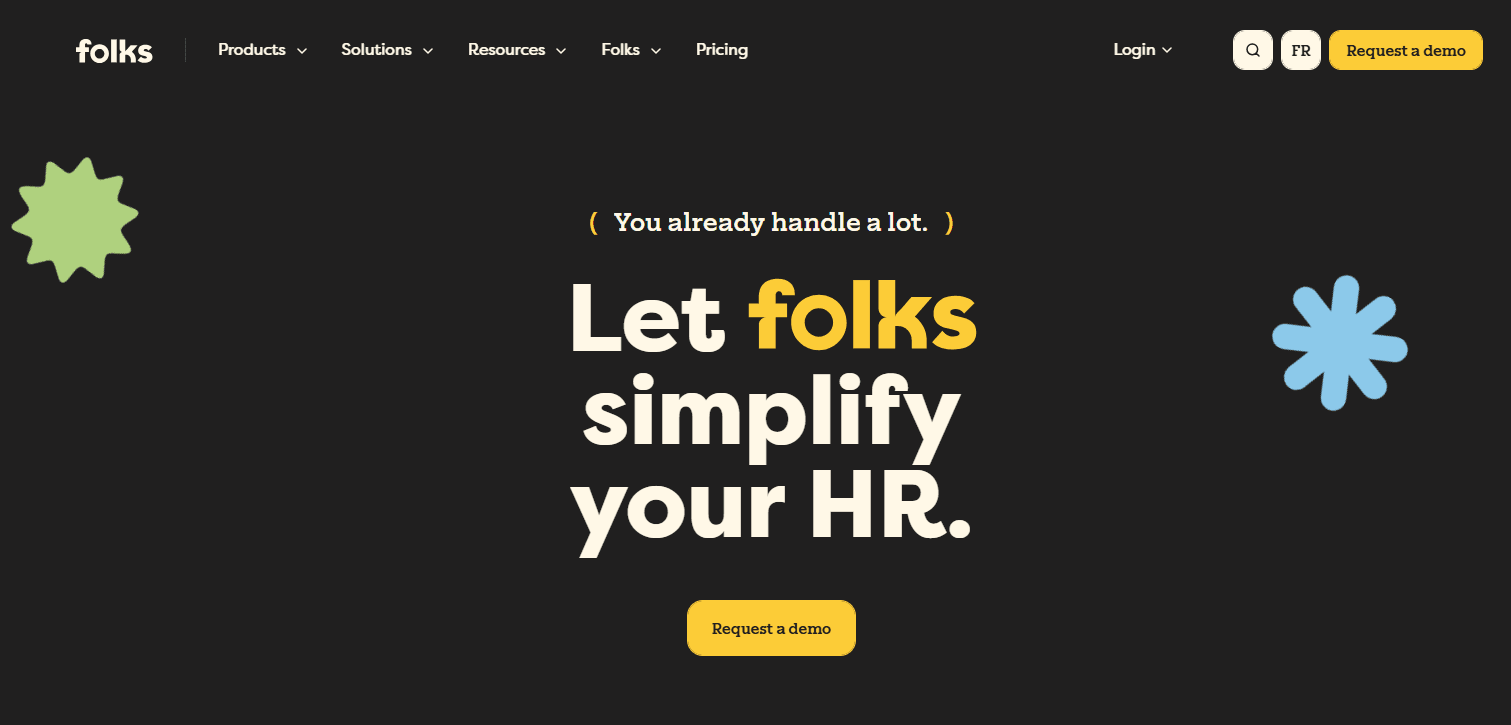
10. Folks HR
Folks HR is ideally suited for organizations where compliance, structure, and documentation are priorities. It is ideal for the Canadian public sector, where unionized and regulated workforces are prevalent. These typically include municipalities, healthcare, and education.
Source: Folks
The platform’s primary focus is on the core requirements of Human Resources administration. Folks HR tends to excel through its consistency in dealing with employee records, organizational structure, position management, leave tracking, and reporting.
Public organizations in particular report how policies, roles, and approvals can easily be applied across departments, to help reduce ambiguity and to provide robust audit trails.
Unlike other HCM packages reviewed, Folks HR’s limited scope provides stability and predictability for teams requiring compliance and control rather than flexibility.
Why do companies choose Folks HR?
“Overall I am pleased that our organization moved to an online HR system that is as robust as Folks HR.” — Folks HR Capterra Review
User-flagged challenges
11. Collage HR
Collage HR is a Canada-first platform designed to support local compliance, all supported by straightforward HR workflows. It focuses on the core HR operations: onboarding, document management, employee records, and policy distribution.
Source: Collage
For Canadian businesses, the local focus is Collage’s core strength. Employment standards, documentation expectations, and record-keeping requirements are built into the platform's setup, reducing admin load for small HR teams. If you’re looking to move away from spreadsheets and shared folders, Collage HR is a manageable, practical alternative.
Collage HR isn't built for advanced needs such as workforce analytics or global payroll. Instead, it's positioned for organizations that want the HR basics with a specific focus on the Canadian market.
Why do companies choose Collage?
Built specifically for the Canadian market
Easy to use with minimal setup
Strong focus on compliance and documentation
“As an HR professional, Collage is one of the simplest HRIS platforms I have ever used, and I would highly recommend it to other companies.” — Collage Capterra review
User-flagged challenges
12. Rise People
Rise People combines HR and payroll software for small and mid-sized businesses in Canada. The platform combines employee records, payroll processing, and basic reporting into a system that is accessible for organizations with straightforward HR requirements.
Source: Rise People
Canadian teams choose Rise People when they want a clean, local payroll setup without heavy configuration. It supports running payroll, managing deductions, and maintaining employee information through one interface. For many teams, simplicity is the advantage. Rise’s platform requires less setup and reduced ongoing admin.
The platform doesn't aim to compete with enterprise suites on customization or advanced analytics. Instead, it focuses on practicality, positioning itself as a Canada-focused system for organizations that want straightforward payroll and HR support.
Why do companies choose Rise?
Canadian payroll and compliance focus
Simple setup and day-to-day use
Suitable for small and mid-sized teams
“Overall, I am quite happy with Rise. It's easy to use, intuitive, and once you have an idea of how to move around the system, it flows easily and quickly.” — Rise Capterra review
User-flagged challenges
What really matters when choosing HCM software
Choosing the right HCM software should not be about ticking off features. Instead, it’s more about finding a system that matches how your organization operates day-to-day. The best option will depend on your workforce mix, payroll complexity, and the amount of change your team can realistically handle during implementation.
Workflow fit
Start with the basics. Ask yourself the question, "How do my payroll and HR processes currently work?" If you're still relying on manual handoffs, spreadsheets, or email approvals, an HCM platform could help reduce processing times without redesign.
The workflow fit will ultimately determine whether the system feels like a relief or an annoying additional layer of admin.
Scalability
Fast growth changes everything. Expansion into new provinces introduces additional complexities, such as remote work changes and recordkeeping. A larger workforce brings more approvals, more reporting needs, and more pressure for consistency across all operating locations. The right HCM system should comfortably handle that expansion without constant rework.
Integration depth
When systems are disconnected, frustrating errors can breed discontent. If HR records, payroll, time tracking, and reporting live in separate places, someone ends up reconciling them manually. Strong integrations can help reduce duplication, cut down on payroll corrections, and give management teams a more accurate overview of the workforce.
Compliance coverage
With Canadian employment and payroll rules varying across provinces and industries, a national organization may face additional complexity.
Your HCM platform should help you manage that complexity by providing accurate record keeping, reporting support, and workflows that reduce the risk of missing any compliance obligations.
Reporting and visibility
Good reporting isn't just about nice-looking dashboards. It's about answering practical questions quickly. You need to have information at your fingertips quickly, such as headcount by location, turnover by team, payroll trends, leave balances, and workforce costs. If leadership teams can't trust the data, the system won't deliver the appropriate long-term value you expect.
Implementation and support
Even strong software fails when a rollout is rushed. Look for vendors with a transparent and supportive implementation approach. The documentation should be accessible and easy to understand, helping HR teams remain independent after launch. This will be especially important if your internal IT resources are stretched or limited.
Key HCM compliance considerations in Canada
For Canadian organizations, compliance shouldn't just be an HR or legal project. Instead, it should be embedded into your HR systems — in your payroll runs, leave tracking, record retention, and reporting. That's why the right HCM platform can reduce risk by centralizing information and supporting consistency across teams and provinces.
Here are some key compliance considerations.
CPP enhancements and CPP2
A recent Canada Pension Plan (CPP) enhancement introduced a second additional contribution (CPP2) for earnings above the Year’s Maximum Pensionable Earnings. Payroll systems need to accurately calculate both base CPP and CPP2. This is one of those areas where minor miscalculations can create recurring issues. Payroll-enabled HCM platforms that support accurate deductions are worth prioritizing.
Federal pay equity requirements
If you have 10 or more employees and are federally regulated, your organization will now need to address pay equity under recently passed legislation. Meeting these new requirements means producing accurate remuneration data, consistent job classifications, and reliable reports. Sound HCM systems can help by consolidating employee and payroll information to enable appropriate reporting.
Provincial employment standards
One major headache for HR departments is the varying employment standards across provinces in Canada. Sometimes these play havoc with HR reporting and payroll. Overtime rules, scheduling expectations, and leave entitlements can vary by province.
When organizations operate across multiple provinces, policy consistency becomes trickier. Centralized HR records and payroll data help teams apply rules more accurately and keep documentation in order.
For example, Ontario recently introduced a suite of 18 new proposed measures to protect Ontario workers and its economy from the potentially adverse effects of the U.S. tariffs and to create safer workplaces. This has the potential to shift the HR environment. Make sure your HCM platform can adapt seamlessly.
Record-keeping and data privacy
Employers are expected to retain accurate employee records and protect personal information. Moving away from scattered spreadsheets and shared folders reduces risk and improves audit readiness. Centralized HCM platforms can support this by keeping documentation, approvals, and employee data in one centrally controlled environment.
HCM software should be viewed as much more than just a tool for storing traditional employee records. It has the capacity to be a platform that supports appropriate compliance, reduces daily admin, and gives management teams a strategic view of workforce operations, all with a few clicks of the mouse.
For Canadian organizations navigating changing obligations and growing complexity, a system that connects payroll, HR workflows, and reporting can make a noticeable difference over time.
As far as HCM software that will set you up for success in 2026, Rippling stands out for teams that want fewer tools, tighter automation, and stronger visibility as they scale their operations.
FAQs
What is the best HCM software in Canada?
The best HCM software depends on the size of your organization, how complex your payroll is, and whether you operate across multiple provinces or countries. Rippling performs well for growing organizations that want HR, payroll, and IT connected, while platforms like SAP SuccessFactors or Workday tend to suit larger enterprises.
How much does HCM software cost in Canada?
Costs vary by platform, workforce size, and feature requirements. Enterprise HCM platforms are usually priced on a custom basis, while smaller-business tools often charge per employee per month. It’s best to confirm pricing directly with each provider, particularly where modules affect the total cost.
Can HCM software handle multiple provinces?
Yes. Many HCM platforms support multi-province workforce management, including payroll rules, record-keeping needs, and reporting. The key is to confirm how well the tool handles provincial differences that are appropriate for your workforce.
Do HCM systems include payroll?
Some HCM platforms build in payroll. Others integrate well with external payroll providers. If payroll accuracy and compliance are central concerns, it's worth prioritizing platforms that either include payroll directly or integrate tightly with payroll systems you already have installed.
Is HCM software suitable for small businesses?
It can be. Many of the tools reviewed are specifically designed for small and mid-sized teams. They will tend to offer streamlined HR and payroll workflows without the complex requirements of larger enterprises. The right fit depends on whether you need a full suite or simply better organization and compliance support.
Disclaimer
Rippling and its affiliates do not provide tax, accounting, or legal advice. This material has been prepared for informational purposes only, and is not intended to provide or be relied on for tax, accounting, or legal advice. You should consult your own tax, accounting, and legal advisors before engaging in any related activities or transactions.